Rosight
ROS + sight. A keyboard-driven terminal cockpit for ROS 2.
Browse the live ROS 2 graph — messages, nodes, services, actions, parameters, TF, bags, interfaces — and live-plot any numeric field, all from one screen without a mouse. Built for SSH, tmux, robot consoles.
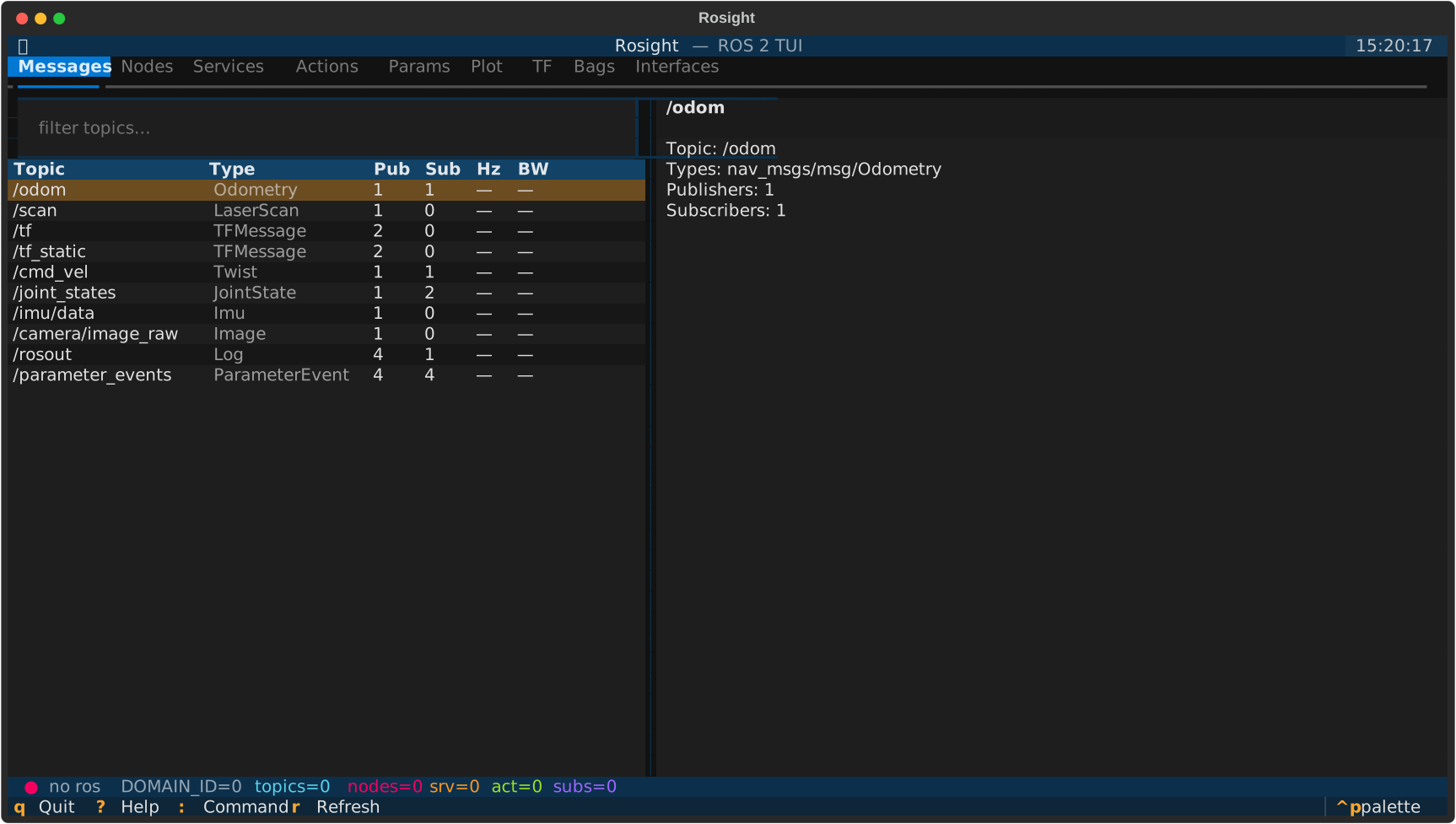
What's inside
Nine tabs, one screen, all keyboard:
- Messages — topic list, live
hz/bw/jitter, message-tree drill-down, auto-QoS subscription. - Nodes — publishers, subscribers, service / action endpoints per node.
- Services — discovery + types (call form planned).
- Actions — discovery + types (goal monitor planned).
- Params — per-node parameters, get / set, type-aware.
- Plot — multi-series live chart of any numeric leaf via
plotext. - TF — auto-built frame tree from
/tfand/tf_static. - Bags —
ros2 bag record/play/infowith stop hints. - Interfaces — browse every
msg/srv/actiondefinition on the system.
Why Rosight
- Runs anywhere a terminal does. SSH, tmux, robot console, phone via Termius.
- Auto-QoS. Sensor topics (
BEST_EFFORT,TRANSIENT_LOCAL…) are matched by negotiating against every publisher — no manual profile fiddling. - Runtime domain switch.
:domain 5reconnects on a newROS_DOMAIN_IDwithout restarting. - Theme persistence. Pick a Textual theme via
Ctrl+P; it survives restarts. - Stable when ROS isn't there. The package imports cleanly without
rclpy, so you can run unit tests and tweak the UI on cloud hosts. Live panels light up the moment a workspace is sourced.
Next steps
- Install on your distro
- Read the usage guide
- Learn the keybindings (incl. the
:command palette) - Tune the configuration
- Plotting workflow in plotting
- Skim the architecture before contributing
- FAQ — text selection, "no series" hint, etc.